Aller au contenu principal
Kgaut's links

Navigation principale

  • Accueil
Menu du compte de l'utilisateur
  • Se connecter

Fil d'Ariane

  1. Accueil

5 things I wish I knew before going all-in on Home Assistant

Par Anonyme (non vérifié) , 7 septembre 2025
URL
5 things I wish I knew before going all-in on Home Assistant
body

5 things I wish I knew before going all-in on Home Assistant

4
By  Adam Conway
Published Aug 7, 2025
Follow
Followed
Thread 17
Link copied to clipboard
Sign in to your XDA account
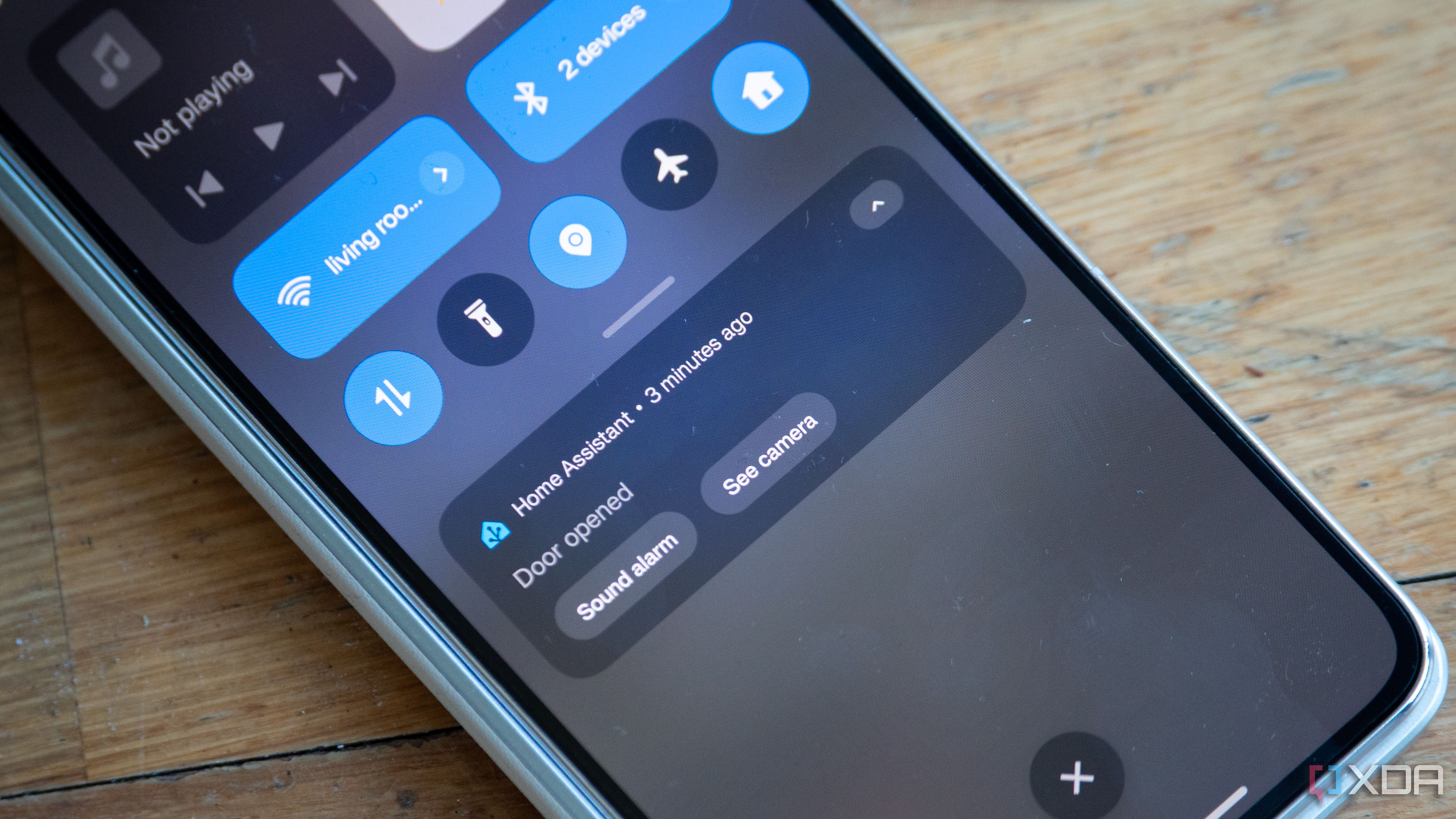
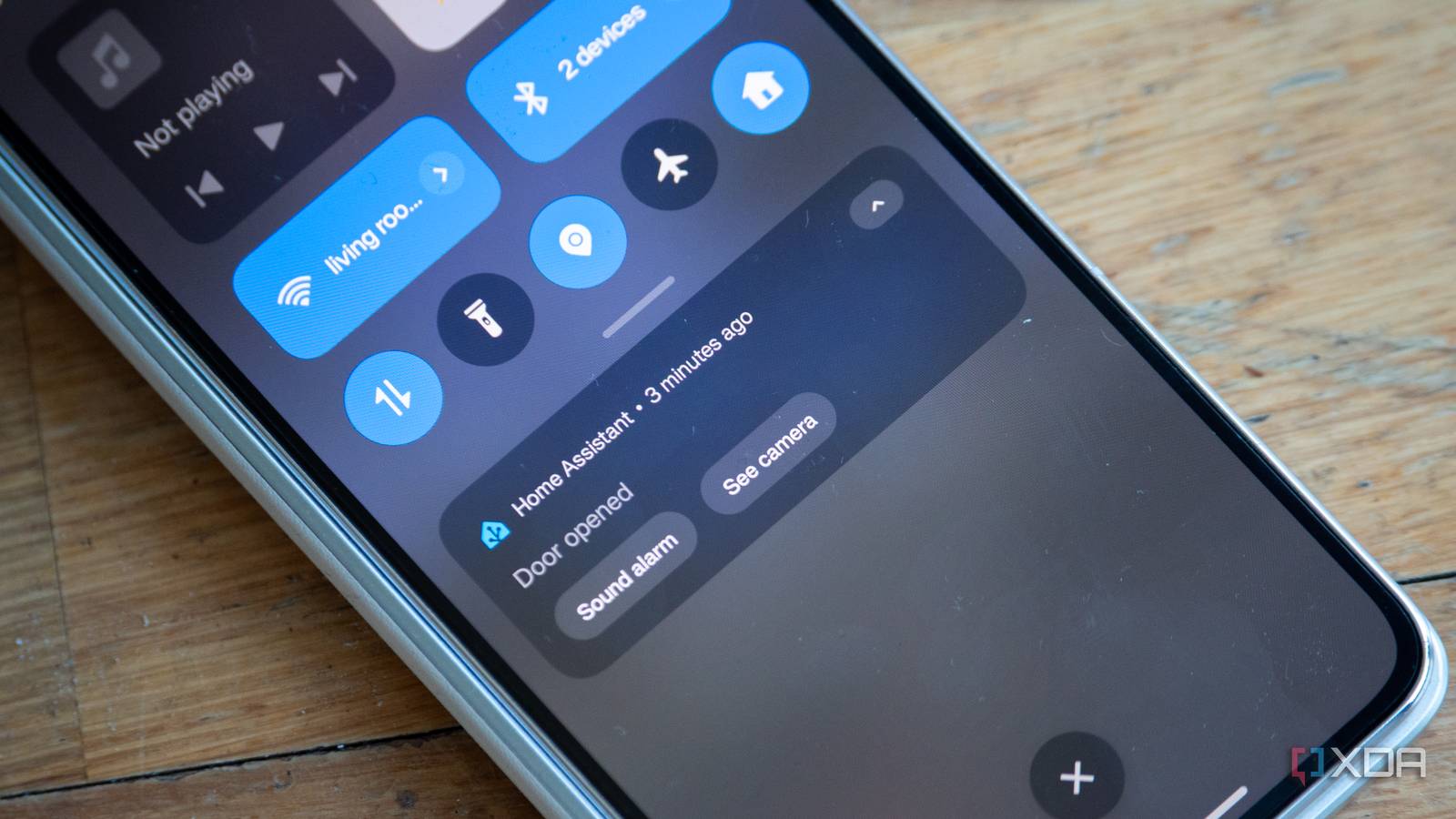
Home Assistant actionable notification showing the door was opened

I've been on the Home Assistant grind for quite a while at this stage. It's a fantastic way to automate your smart home, linking up services and devices you never would have thought possible. I have some truly magical automations that bridge services in ways I couldn't do with any other software, like using a spare slider on my GoXLR Mini to control my light brightness, or deploying my own voice assistant that sounds and acts like GLaDOS. It's amazing, and I absolutely love that for the time I've spent on it, I've got a lot out of it.

With that said, it's obviously not all perfect, and nothing ever is. I've gone all-in on Home Assistant, and these are some of the things I wish I knew before doing that.

Start with Home Assistant OS

Container is great, but HAOS makes it easier

home-assistant-os-running-proxmox

When I first started my Home Assistant journey, I deployed Home Assistant Container on my TrueNAS system. While you gain a lot of control this way, it actually makes things harder overall. There are a couple of reasons for this, with one that most people know and one that I find most people don't know. The first is pretty simple: when you run Home Assistant as a Docker container, you are in control of other services that you deploy, and because Home Assistant is merely running as a container and has no supervisor to orchestrate other containers, you can't deploy official add-ons.

None of this is really a big deal, as you can deploy containers for services like Piper, Whisper, ESPHome, and whatever else suits your fancy manually, and then just link everything up by hand. With that said, users may miss the true simplicity of Home Assistant's add-ons, which are Docker containers but with everything linked up for you. While I started with Home Assistant Container, moving to Home Assistant OS has been a blessing on my Proxmox machine. And I say that as someone familiar with Docker, too; HAOS just works.

The second issue that I found, but makes total sense, is that running Home Assistant in this way means that services that might be picked up by Bonjour/mDNS aren't detected, unless you specifically enable host networking. Even then, people have run into all kinds of issues getting that working, and given how integral mDNS is to Home Assistant, it can be a mess to try and get it working properly. I eventually gave up running the Container version and set up HAOS on Proxmox, and it's so much easier. Running it in a VM means that the VM can request an IP from your router's DHCP and have its own networking, where mDNS will just work. After all this, I realized that I should have just started with it in a TrueNAS VM instead.

It raises the bar for smart home products

Tuya used to be good enough, but now I can't stand it

Nanoleaf Essentials A19 | E26 Smart Bulb set to the color red

I never had a lot of smart home products, but the ones that I did have were controlled by proprietary applications, such as the Tuya app in the case of my plugs and lights, and the Govee app for my lights, too. These worked fine, and I used the Tuya app practically every day for the light in my room. While Google Assistant support meant that I could also use voice controls, I still had to use the app frequently. And, frankly, the app isn't great.

However, fast forward a year from my initial Home Assistant venture, and I've been spoiled. Controlling my Tuya-based lights through Tuya Local is perfect, and I can turn them on and off even if my internet connection is down. My morning light turns on whenever my phone's alarm goes off, and I can turn on and off the light with a smart switch that I keep on my bedside table. Everything about this is so much better than just using the Tuya app, and has meant that when I buy a new smart light, I make sure that if it has Tuya, I can bring it into Tuya Local and then block it on my network.

I used to be completely happy to just buy a Tuya light and use it as-is, so it's pretty interesting to look at how I used to feel versus my requirements that I have now. While I'm now significantly more focused on privacy and security than I would have been back then, even from a feature point of view, the Tuya app just can't compare.

If you're using Zigbee, go straight to Zigbee2MQTT

Not Zigbee Home Automation

Zigbee devices are great, and I have quite a few of them at this point. However, they require a dongle to work, so depending on your virtualization method, it might require a bit of work to get up and running. However, I have a better suggestion: instead of using the Zigbee Home Automation integration in Home Assistant, use Zigbee2MQTT instead.

Zigbee2MQTT requires being set up in another container alongside an MQTT server, but you can set up both as Home Assistant add-ons if you'd prefer. I don't personally recommend it (spreading out services can be better for your smart home overall), but it will work just as well. Zigbee2MQTT has better compatibility with Zigbee devices, and where I had issues with data reporting and disconnects in Zigbee Home Automation, Zigbee2MQTT handled them perfectly. As it turns out, those issues are quite common, and often the first piece of advice people give on Reddit and the Home Assistant forums is to try Zigbee2MQTT if Zigbee Home Automation doesn't work.

With all of that said, when switching over, I had to rebuild my entire Zigbee network. That's why I wish I knew it before I started, as I had a Zigbee Home Automation setup before I eventually threw in the towel and migrated over.

Time spent building and debugging

Automations can be time-consuming at first

home-assistant-proxmox-tines-automation

Home Assistant, for all its amazing capabilities, isn't a perfect piece of software, either. There's a lot of work that goes into making it all flow nicely, especially when it comes to automations. Linking up services can sometimes be difficult or confusing, and sometimes things won't work, and the reason won't always be clear. Going through logs can be cumbersome and difficult, and sometimes, things just don't work, and it's not clear why.

While it's not an issue for getting basic stuff set up, be prepared to learn a lot when it comes to doing anything more advanced. Templates, for example, are powerful tools that require knowledge of syntax and processing data, and are written in Jinja2 format. Even as an experienced programmer, Jinja2 can be quite difficult to wrap my head around at times, and it doesn't help that nesting Jinja2 templates inside of YAML can make things more incomprehensible.

As a result, I often end up doing a lot of research when writing a function that uses a template in an automation. It takes time, and if you're looking to do more advanced things in Home Assistant, then be prepared to spend some time figuring out why it doesn't work. Developer tools are your friend in Home Assistant, as you can identify entities and their current states and attributes, and you can write basic templates to check your syntax and see if it pulls exactly what you want. Oh, and use traces. They're in the top right of the automation builder and one of the most important tools to make use of when building a new automation. It'll show you exactly what happens when your automations run, what variables changed, and if something failed, what exactly failed.

Buying new hardware can be addictive

New sensors, servers, and microcontrollers

My journey with Home Assistant began with a basic Zigbee dongle, some Zigbee temperature and humidity sensors, and all of my old smart devices that I had used with Tuya, like my lights. The purchase of the Zigbee dongle and sensors was done specifically to wade into the shallow end of home automation, but has since turned into a full-fledged hobby with further investments, both in a monetary sense and a time sense.

I've spent a lot of time playing with Proxmox as a result, deployed my own OPNsense platform, and turned old mini PCs into Proxmox nodes as well. While those aren't related to Home Assistant, it all started with Home Assistant, and served as a catalyst to send me down the home automation rabbit hole. I've certainly learned a lot, but I've spent countless hours on these things already. Not to mention the literal days I spent on reverse engineering a set of Govee Bluetooth lights just so I could integrate them into Home Assistant.

In a monetary sense, I've spent money on new sensors to connect to my network, more smart plugs, more smart lights, and other investments here and there. It's a hobby like any other, so it's not a problem, but I also didn't really expect to become so invested so quickly. I love how much I've learned, and it's enabled me to go down the path of developing microcontrollers and honing my skills in reverse engineering and hardware control. Just be prepared, because I absolutely wasn't.

I wouldn't ask for my time or money back

Despite all of this, I don't regret any of the time or money I've spent on working with Home Assistant. It's been incredibly educational, exciting, and there have been many aspects of my life that have been improved. While I've spent hours on these configurations (which I've enjoyed spending time on), I'm sure I've also gotten back some of that time thanks to the automations it's enabled me to build. My light turning on in the morning gets me out of bed faster, my ePaper display keeps me on task and ensures I finish my work in a timely fashion, and my voice assistant powered by an LLM that understands the context of my questions saves me needing to stop, take out my phone, and look for exactly what I need.

To some, it's a waste of time, but to others who enjoy it, it's a hobby. Both can be considered true at the same time, as plenty of hobbies are a waste of time. The difference is that Home Assistant doesn't have to be just a waste of time; it can save you time, teach you a lot, and serve as an example of the amazing feats the open-source community can pull off.

  • Software and Services
    Software and Services
Follow
Followed
Share
Facebook X LinkedIn Reddit Flipboard Copy link Email
Thread 17
Sign in to your XDA account

We want to hear from you! Share your opinions in the thread below and remember to keep it respectful.

Reply / Post
Attachment(s)
Please respect our community guidelines. No links, inappropriate language, or spam.

Your comment has not been saved

Send confirmation email

  • Aleksandar User Display Picture
    Aleksandar
    User Display Picture
    Aleksandar
    #LM678556
    Member since 2025-08-07
    0
    Threads
    1
    Posts
    Following
    0
    Stories
    0
    Topics
    0
    Authors
    0
    Users
    Follow
    Followed
    0 Followers
    View

    ZHA (Zigbee Home Assistant) works fine.


    Supposedly there were loads of issues in the past. But already ~2 years ago when I first set up HA, there were no issues with ZHA.

    2025-08-07 15:28:27
  • Adam User Display Picture
    XDA logo
    Adam
    User Display Picture
    XDA logo
    Adam
    #MN479559
    XDA logo
    0
    Threads
    287
    Posts
    Following
    1
    Stories
    0
    Topics
    0
    Authors
    0
    Users
    Follow
    Followed
    7 Followers
    View

    ZHA kept disconnecting from my door sensors and one of my temperature/humidity sensors. When I read into it (this was about a year ago), many people said ZHA can be flaky and to just use Z2M. Haven't had an issue since, and I tried resetting my Zigbee network with ZHA a few times before I gave up on it.

    2025-08-07 16:02:09
  • Charles User Display Picture
    Charles
    User Display Picture
    Charles
    #CH922034
    Member since 2024-05-08
    0
    Threads
    26
    Posts
    Following
    0
    Stories
    0
    Topics
    0
    Authors
    0
    Users
    Follow
    Followed
    0 Followers
    View

    I'm looking at switching to Home Assistant right now (currently running Hubitat for zwave and Google to keep that and some miscellaneous stuff together and do voice). I have heard that the Voice Assistant (beta) needs a decent amount of power, but it's not been totally clear where that lands between running on a Pi5 and running on a container on my system with an RTX GPU. It seems like it probably lands in the middle: grab something efficient and reasonably priced but more powerful than the pi5... but I would love to hear the thoughts of others.

    2025-08-08 10:46:46
  • Adam User Display Picture
    XDA logo
    Adam
    User Display Picture
    XDA logo
    Adam
    #MN479559
    XDA logo
    0
    Threads
    287
    Posts
    Following
    1
    Stories
    0
    Topics
    0
    Authors
    0
    Users
    Follow
    Followed
    7 Followers
    View

    It depends. If you have a Raspberry Pi, it will still work fine, you just can't do anything with a local LLM. You can use Google Translate's TTS (which is free), or you could use something like HA Cloud and get more voices. You could then use it like normal, or you could use a cloud-based LLM. You define the pipeline!

    2025-08-10 07:03:07
  • Kirk User Display Picture
    Kirk
    User Display Picture
    Kirk
    #EV559005
    Member since 2025-08-08
    0
    Threads
    1
    Posts
    Following
    0
    Stories
    0
    Topics
    0
    Authors
    0
    Users
    Follow
    Followed
    0 Followers
    View

    Try using ChatGPT to author new automations; you’ll be surprised at the speed yielded. Note it has a little trouble keeping up with the regular updates to the dev syntax and enhancements. I also use the tool to debug my system logs; it does quite well there - just download and dump the file log for it to parse.

    2025-08-08 08:29:55
  • yz User Display Picture
    yz
    User Display Picture
    yz
    #UZ095263
    Member since 2025-08-07
    0
    Threads
    1
    Posts
    Following
    0
    Stories
    0
    Topics
    0
    Authors
    0
    Users
    Follow
    Followed
    0 Followers
    View

    I use ZHA from beginning, don't find ZHA is the problem. I use a Sonoff coordinator. Most of my Zigbee devices are sensors and buttons from Sonoff. but I do have a coverage issue as my home has a lot of concrete walls. I flashed few CC2652 USB dongles as Zigbee router to extend the signal coverage. I don't really feel that I need to have Zigbee switches, as wifi switches are much cheaper. However, I offten have connection issue after I changed Zigbee device's coin cell battery. some battery worked just few days, some 1 or 2 month, few can work much longer. The original batteries from devices are all worked fine without issues, before their batteries were dead. so, such connection drop, after battery change, is not a ZHA problem, it is the Sonoff Zigbee device itself. It seem to me that, when sending signal, the Sonoff device draws a quite high current. The internal resistance of the new coin cell cannot sustain the minimum voltage requirement for the device, so it stopped working. I took out the battery from the device, it was still measured above 3V! It looks like the power requirement of these Zigbee devices are designed at edge, with very tight, narrow specification for the internal resistance of the coin cell battery. I don't think my battery quality is bad, they are from reputable brands, still, every time I change a Zigbee device battery, it is really like a gamble. Maybe, just in few days time, I have to open the same device again. I am not very happy with that.

    2025-08-07 21:53:59
  • Knightmare User Display Picture
    Knightmare
    User Display Picture
    Knightmare
    #SW520061
    Member since 2024-08-13
    0
    Threads
    91
    Posts
    Following
    2
    Stories
    0
    Topics
    1
    Authors
    0
    Users
    Follow
    Followed
    0 Followers
    View

    Zigbee2mqtt yes

    HA OS not really.

    If you want an easy experience and do not need full control, go for it. But if you know how to setup the container it's far better.

    I used ha OS for far too long because of the addons. They are just Containers as well.

    2025-08-08 14:50:50
  • Peter User Display Picture
    Peter
    User Display Picture
    Peter
    #XK138844
    Member since 2024-12-25
    0
    Threads
    1
    Posts
    Following
    0
    Stories
    0
    Topics
    0
    Authors
    0
    Users
    Follow
    Followed
    0 Followers
    View

    No mention of Node Red for automations? it’s next level in terms of capability and a lot of fun to master. Although, it may be a bit daunting for those that don’t like to get their hands too dirty (so to speak) or invest the time.

    2025-08-08 08:14:24
  • Tristyn User Display Picture
    Tristyn
    User Display Picture
    Tristyn
    #YI444861
    Member since 2024-07-14
    0
    Threads
    39
    Posts
    Following
    0
    Stories
    0
    Topics
    0
    Authors
    0
    Users
    Follow
    Followed
    0 Followers
    View

    I run home assistant container on an unraid os, and have no mdns/networking issues. Although unraid is built for running docker and VMS. Docker is an integral part of the operating system.


    But I do agree it can be quite time consuming, almost becoming a second job at times if you don't control yourself.


    And I do find myself buying things just because it will integrate with home assistant, not necessarily because I need it.

    2025-08-09 21:03:17
  • Marcos User Display Picture
    Marcos
    User Display Picture
    Marcos
    #WN415191
    Member since 2025-08-07
    0
    Threads
    1
    Posts
    Following
    0
    Stories
    0
    Topics
    0
    Authors
    0
    Users
    Follow
    Followed
    0 Followers
    View

    Very nice and powerful, but the regular guy can't put this running, it is not for dummies with limited time.

    2025-08-07 23:03:35
  • Shane User Display Picture
    Shane
    User Display Picture
    Shane
    #YA626683
    Member since 2024-10-11
    0
    Threads
    24
    Posts
    Following
    0
    Stories
    0
    Topics
    0
    Authors
    0
    Users
    Follow
    Followed
    0 Followers
    View

    These are good pointers. I do disagree on the ZHA v. Zigbee2MQTT... that used to be true but ZHA integration has come a long way. I never had any problems with devices.


    It should also be noted that Zigbee is great but so is Zwave. You can tun bkth as some sensors are more likely to be found in Zwave v. Zigbee, especially locks and thermostats... Zwave has

    a lightly better security protocol. It also runs at a frequency that does not conflict with wifi 2.4ghz.


    With Tuya you get what you pay for. Not only are they cheap, but they often do not comply with Zigbee protocols completely and have been known for flooding the Zigbee network with noise.


    Finally do not just run HAOS, but it may even be better to run on a separate machine from your main containers and VMs so your smart home doesn't go down when your main server does. Pros and cons with each setup option.

    2025-08-07 16:26:51
  • Mark User Display Picture
    Mark
    User Display Picture
    Mark
    #MG919872
    Member since 2025-06-23
    0
    Threads
    2
    Posts
    Following
    0
    Stories
    0
    Topics
    0
    Authors
    0
    Users
    Follow
    Followed
    0 Followers
    View

    But the are valid reasons to use Zigbee2MQTT. My homelab is in a room over my garage, separate from the house and it's much easier/reliable to run a Pi with Zigbee2MQTT in the house where the density of ZigBee devices is higher, and use my wired LAN to speak to MQTT/HA

    2025-08-08 03:12:51
  • Robin User Display Picture
    Robin
    User Display Picture
    Robin
    #BP507649
    Member since 2025-08-10
    0
    Threads
    1
    Posts
    Following
    0
    Stories
    0
    Topics
    0
    Authors
    0
    Users
    Follow
    Followed
    0 Followers
    View

    I like Zigbee2MQTT way more. It has excellent support, development progress, configuration possibilities and gives more setup flexibility. I decouple it from HA, as I have 2 Raspberry Pi's in my house running as coordinators (which runs way more stable then a big network with repeaters) - while my HA server is far away in the garage.

    2025-08-10 02:55:11
  • Scott User Display Picture
    Scott
    User Display Picture
    Scott
    #GO090544
    Member since 2024-10-25
    0
    Threads
    4
    Posts
    Following
    0
    Stories
    0
    Topics
    0
    Authors
    0
    Users
    Follow
    Followed
    0 Followers
    View

    Ah, another X amount of things I wish I knew post

    2025-08-07 23:04:13
  • Chris User Display Picture
    Chris
    User Display Picture
    Chris
    #HT947634
    Member since 2023-11-03
    0
    Threads
    3
    Posts
    Following
    0
    Stories
    0
    Topics
    0
    Authors
    0
    Users
    Follow
    Followed
    0 Followers
    View

    Funny to read that Home Assistant is safer than Tuya.

    Light bulb and plugs can be agressive.

    Another pro USA article


    2025-08-07 12:45:24
  • Zoran User Display Picture
    Zoran
    User Display Picture
    Zoran
    #RF505478
    Member since 2025-02-19
    0
    Threads
    17
    Posts
    Following
    0
    Stories
    0
    Topics
    0
    Authors
    0
    Users
    Follow
    Followed
    0 Followers
    View

    Everything is better and safer than Tuya. And I'm saying this as someone who owns dozens of Tuya devices. Tuya goes out of their way not to follow any standard or convention, throws out weirdly configured devices that flood and hog the whole network. The only advantage they have is the price. I wish I knew this before going all in with Homan Assistant. If you just need a few smart devices, Tuya is fine. If you want a full blown smart home, stay away from Tuya as much as you can. And this has nothing to do with USA vs China sentiment. I have no love for USA, but Tuya really is the worst you can get. At least go with Aqara instead. Also Chinese, slightly more expensive, but much better in every aspect. And HomeAssistant (in general) vs Tuya is not even a debate. Not even in the same league

    2025-08-07 14:09:19
  • Adam User Display Picture
    XDA logo
    Adam
    User Display Picture
    XDA logo
    Adam
    #MN479559
    XDA logo
    0
    Threads
    287
    Posts
    Following
    1
    Stories
    0
    Topics
    0
    Authors
    0
    Users
    Follow
    Followed
    7 Followers
    View

    So, my referencing of Tuya devices (and IoT devices in general) as being unsafe, while pointing to Home Assistant, owned by the Switzerland-based Open Home Foundation, as a safer alternative is... pro USA?

    2025-08-07 16:05:05
  • Terms
  • Privacy
  • Feedback
Recommended
Adguard Main Image
3 days ago

I switched from Adguard, to Pi-hole, and back to Adguard: Here's what I learned

A laptop showing the IUmmich web client
5 days ago

My family stopped using Google Photos and OneDrive after installing this container

Dockpeek on phone
5 days ago

This zero-config self-hosted tool is a must install for all Docker enthusiasts

A gaming PC showing RGB lighting synced with the scene on the monitor
6 days ago

Relax — these 5 new PC rituals aren't as critical as you think

A person holding a Zyxel network switch
4 days ago

Why USB-to-Ethernet adapters are a reliability nightmare for your home lab

  • Today's best deals

HyperX Alloy Rise
This keyboard scored 9/10, and it's now dirt cheap thanks to a nearly 70% discount
1 hour ago
SAMSUNG 27-Inch M5 (M50D) Series FHD Smart Monitor
Work and play seamlessly with this versatile Samsung 27-inch monitor that's now nearly half off
4 hours ago
The Steam logo with the home page in the background
This overwhelmingly positive-rated hidden gem on Steam is at its lowest price ever
12 hours ago
See More
MSI MAG X870E Tomahawk Wifi ez ssd
Write amplification is the silent killer of SSDs, here's how to mitigate it
NotebookLM and Google Keep displayed on desktop pc, lamp and lego in view
NotebookLM + Google Keep is the productivity powerhouse I didn't know I needed
docker desktop on a windows pc screen
Why I always test self-hosted services on my main PC before moving them to my NAS
Résumé
I love Home Assistant, but these are all of the things I wish I knew before diving in.
Image

Tags

  • home-assistant
  • docker

Mots clés

activitypubAndroidAnniversaireAppauvergnebaladebatchcacheCICultureDaronnadeddevdebiandockerDrupalfedorafirefoxgitgithubgitlabgitlab-cigooglehome-assistantjardinagekoboLecturelinuxmigrate APIOrchestrationoutilphpphpunitplexrandonnéesportSpotifysymfonysécuritéTestswallpaper
Propulsé par Drupal